What happened
Based on SafeState's write-up of the researcher analysis, the attack went roughly like this:
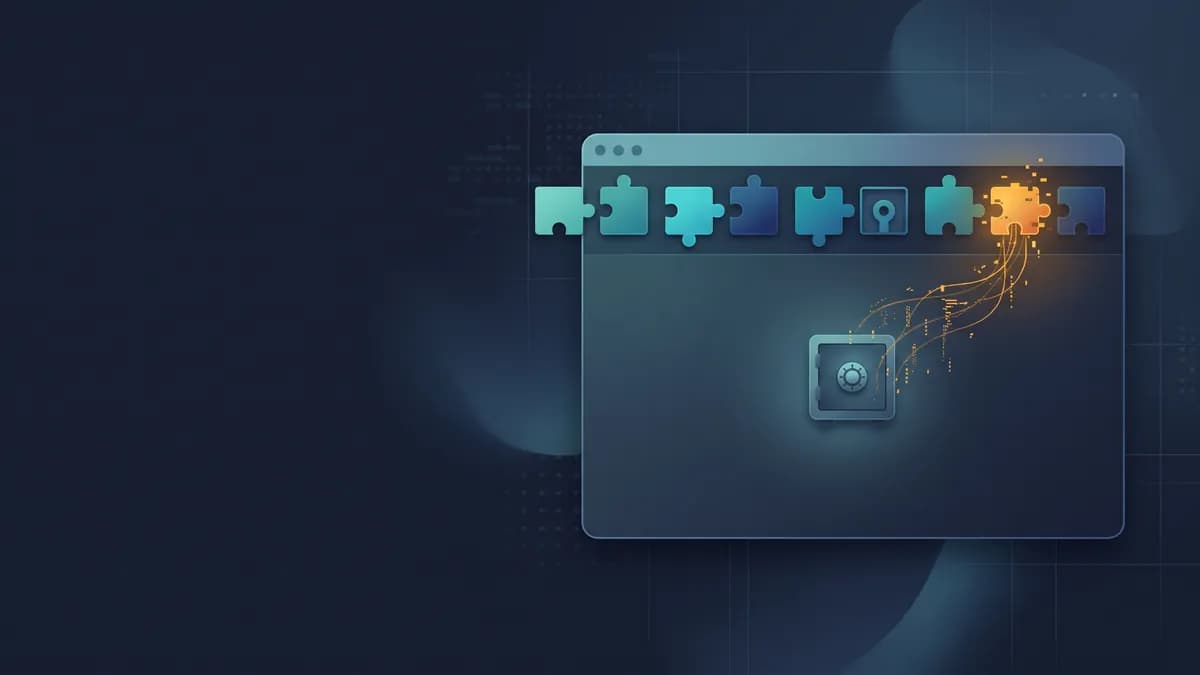
- Polymarket's site loaded a real-user-monitoring script from DebugBear's CDN. That's a normal setup. Thousands of sites do the same with dozens of vendors.
- The attacker replaced that file with malicious JavaScript. Because the browser fetched it fresh from the vendor, every visitor got the new version immediately.
- The script checked for an active Polymarket session, read account data, wallet details and trading API credentials out of browser storage, and then used Polymarket's own signing flow to move positions or sell holdings to an attacker wallet.
The detail worth sitting with: researchers noted that hardware wallets and strong passwords didn't help, because the script never needed a private key. It acted as the logged-in user, from inside the user's own browser session.
Polymarket's fix, per the same report, was a production commit that removed the vendor script. Trading resumed the same afternoon. SafeState also notes this was not the first vendor-script incident to hit the platform this year.
Why this matters for your app
A script tag pointing at cdn.some-vendor.com runs with the same power as your own code. It can read the DOM, read localStorage and sessionStorage, call your API with the user's credentials, and change what the page shows. There is no sandbox between "your code" and "the analytics snippet you pasted in during launch week".
This is especially relevant for fast-shipped and AI-built apps, because:
- Scripts pile up. Every "add analytics", "add a chat bubble", "add error tracking" prompt tends to add another tag. Few people remove them later.
- Tokens live in browser storage. Many starter templates keep the session or API token in localStorage, where any script on the page can read it.
- There's usually no Content-Security-Policy. Without one, any injected or swapped script can load more code from anywhere and send data anywhere.
You can't audit your vendors' build pipelines. You can limit how much damage a bad script can do.
How to check your app
1. List every script your pages load. Open your app, then DevTools, Network tab, filter by JS, and reload. Or run this in the console on each important page:
[...document.scripts].map(s => s.src || '(inline)').filter(Boolean)Write down every domain that isn't yours. Do it on your logged-in pages too, not just the marketing site. Tag managers can load further scripts that don't appear in your HTML source.
2. Check which of those tags have an integrity attribute. In the console:
[...document.querySelectorAll('script[src]')]
  .filter(s => !s.src.startsWith(location.origin))
  .map(s => ({ src: s.src, sri: !!s.integrity }))
3. Look at your response headers. Run curl -sI https://yourapp.com and look for Content-Security-Policy. If it's missing, or it contains script-src * or 'unsafe-inline' with no nonces, it isn't limiting much.
4. Check where your session lives. In DevTools, look under Application at Local Storage and Session Storage. If you see an access token, refresh token or API key there, any script on the page can read it, which is exactly what the Polymarket payload did.
How to fix it
Remove what you don't need. This is the highest-value step. SafeState's recommendations for operators start with keeping an inventory of third-party scripts and stripping non-essential tags from account, checkout and transaction pages. Your login, billing and settings pages rarely need a heatmap tool.
Pin and verify what you keep with Subresource Integrity (SRI). If a vendor offers versioned files, reference a specific version and add a hash. If the file changes, the browser refuses to run it:
<script
  src="https://cdn.example-vendor.com/sdk/4.2.1/sdk.min.js"
  integrity="sha384-REPLACE_WITH_REAL_HASH"
  crossorigin="anonymous"></script>
Generate the hash yourself from the exact file you reviewed:
curl -s https://cdn.example-vendor.com/sdk/4.2.1/sdk.min.js \
  | openssl dgst -sha384 -binary | openssl base64 -A
Be aware of the trade-off: SRI breaks scripts that vendors update in place at an unversioned URL, which is common for monitoring and analytics snippets. For those, either self-host a pinned copy that you update deliberately, or accept that you're trusting the vendor's live file and keep it off sensitive pages.
Add a Content-Security-Policy. CSP tells the browser which origins may serve scripts and which origins the page may send data to. A starting point for a Next.js or Express app might look like this:
Content-Security-Policy:
  default-src 'self';
  script-src 'self' https://cdn.example-vendor.com;
  connect-src 'self' https://api.yourapp.com;
  frame-ancestors 'none';
  base-uri 'self';
  object-src 'none'
Be realistic about what CSP buys you here: if the vendor's own domain is allowed, CSP won't stop a malicious file served from it. What CSP does is stop that script from pulling in code from new domains or sending stolen data to arbitrary endpoints that aren't in connect-src. Roll it out with Content-Security-Policy-Report-Only first so you can see what breaks. Our guide on adding a Content-Security-Policy walks through this step by step.
Get session tokens out of JavaScript's reach. Move session tokens into cookies marked HttpOnly, Secure and SameSite, so page scripts can't read them. It won't stop a malicious script from making requests as the user while the page is open, but it stops tokens being lifted and reused elsewhere. See Secure, HttpOnly and SameSite cookie flags.
Keep your own frontend keys clean. If a script can read your bundle, it can read any secret you shipped in it, and bots are already hunting for leaked keys and .env files. Check our guide on API keys exposed in client-side JavaScript, make sure you aren't shipping source maps in production, and if you've already had a scare, our post on rotating your app's secrets without downtime covers the cleanup.
Takeaway checklist
Before you close DevTools, make sure that you:
- List every third-party script on your public and logged-in pages.
- Remove scripts you no longer use, especially from login, billing and account pages.
- Pin versions and add integrity hashes where vendors support it.
- Self-host, or keep off sensitive pages, scripts that can't be pinned.
- Ship a Content-Security-Policy with tight script-src and connect-src.
- Keep session tokens in HttpOnly cookies, not localStorage.
- Re-run this audit whenever someone (or some AI agent) adds a new tag.
Find out where you stand
If you want a quick baseline, AppSafe checks your security headers, including whether a Content-Security-Policy is set, and its verified full scan looks at frontend issues like Subresource Integrity and vulnerable JavaScript libraries. You can see what a report looks like in the sample report, or pair this with our pre-launch checklist for AI-built apps.
Polymarket traced the cause within about an hour of halting trading. Many small teams would take far longer to notice a changed script. Run a free AppSafe scan on your app today and find out where you stand.